

How to Play Minecraft with Your Kids
Learn how to play Minecraft with your child in this fun, beginner-friendly guide for parents. Explore, build, and bond together—no gaming experience needed!
So your kid is obsessed with Minecraft. They talk about creepers, redstone, and diamond swords like it’s a second language — and you’re over here wondering what in the blocky world is going on.
Good news: you don’t need to be a tech wizard or lifelong gamer to learn how to play Minecraft. In fact, playing with your child is one of the best ways to connect, laugh, and discover their world — one pixelated block at a time.
Whether you’re joining in to bond, build, or just stop feeling left out of the conversation, here’s your beginner-friendly guide to how to play Minecraft like a pro (or at least like a pretty cool parent).

What Is Minecraft, Anyway?
Minecraft is a sandbox game — which means there’s no set goal or storyline. You drop into a randomly generated world made entirely of blocks, and from there… the possibilities are endless. Want to build a rollercoaster? You can. Want to survive a zombie invasion? Also yes.
There are two main modes:
- Creative Mode: Unlimited resources, no danger. Great for building and exploring.
- Survival Mode: You gather materials, craft tools, eat food, and avoid monsters. Think of it as digital camping with (slightly spooky) surprises.
You’ll also hear about Java vs. Bedrock editions. Java is PC-only and offers more customization; Bedrock works across multiple devices like consoles, tablets, and phones. If your kid plays on Xbox or iPad, chances are they’re on Bedrock.
Minecraft Controls 101 (Without Gamer Speak)
The first few minutes might feel like learning to walk again. That’s totally normal. Here’s what you really need to know:
- Move: Use the left stick (on console) or WASD keys (on PC) to walk around.
- Jump: Tap the jump button (usually A or spacebar).
- Dig/Break: Hold down the action button while looking at a block.
- Place: Use the opposite trigger or mouse button to place blocks.
- Inventory: That’s where your stuff lives. Open it to craft items like tools, beds, or cookies.
Expect a few funny moments at first — like smacking a tree with a pork chop or accidentally placing 20 torches in your own face. It’s part of the fun!
How to Play Minecraft – First Steps: What to Do on Day One
Your first in-game day is like camping with no supplies. But don’t worry — here’s what to do:
- Punch trees to gather wood.
- Make a crafting table (your DIY station).
- Build a shelter before nightfall. Even a dirt hut works!
- Craft tools like a pickaxe and sword.
- Make a bed so you can sleep through the night (and avoid monsters).
If you get lost or “die” (which just means your character faints dramatically), you’ll respawn and try again — Minecraft is super forgiving like that.
Meet the Mobs: Monsters to Watch Out For
When the sun goes down, things get… interesting. Here are a few common mobs (aka Minecraft monsters):
- Creepers: Sneaky green guys who explode. (Known by kids as “boomies.”)
- Zombies: Shuffling moaners who burn up in sunlight.
- Skeletons: Archers with surprisingly good aim.
- Spiders: They climb walls, but don’t bite unless provoked.
- Endermen: Tall teleporting shadow creatures. Don’t stare — it’s rude.
The mobs might seem scary at first, but once you get the hang of it, they’re just part of the challenge. Your kid will probably love them — especially the chaos of a creeper surprise.
Cool Places to Discover in Minecraft
Minecraft isn’t just empty forests and mountains — it’s filled with hidden treasures and wild structures. Some cool places to explore:
- Shipwrecks: Sunken boats with loot chests.
- Desert Temples: Traps, treasure, and TNT (yep, don’t step on the wrong pressure plate).
- Jungle Temples: Mossy puzzles deep in the trees.
- Villages: Towns with farmers, blacksmiths, and adorable animals.
- Mineshafts & Strongholds: Underground mysteries full of goodies and danger.
Exploring these places together can feel like your own Indiana Jones adventure — with blocky goats and fewer snakes.
How to Play Minecraft Together
Ready to jump in side-by-side? Here’s how to set it up:
- Console or Tablet: Split-screen or same network multiplayer.
- PC: Use a local network or set up a Realm (a private shared server).
- Online: Join a multiplayer server, but we recommend keeping it private for young kids.
Create a shared world and lay down a few ground rules. (Like: “Don’t fill Mom’s house with lava. Again.”)
Creativity Mode: Your New Digital LEGO Set
Creative mode is the perfect way to start if you’re nervous. No monsters, no hunger — just unlimited blocks and total freedom.
Fun build ideas:
- A treehouse city in the sky
- A theme park with rollercoasters
- An obstacle course for pigs (it’s possible — and hilarious)
Plus, you can fly! It’s relaxing, peaceful, and great for playing with younger kids.
Survival Mode: Learning Through Play
Once you’re feeling brave, try Survival Mode. It teaches:
- Teamwork: One of you builds while the other gathers.
- Problem-solving: “What do we need to make a fishing rod?”
- Responsibility: Feed your character, protect your base, and watch out for nighttime guests.
It’s all about balance — and having your kid guide you for a change. Let them be the expert. They’ll love it.
Minecraft Is (Secretly) Educational
Beyond the laughs and lava, Minecraft is packed with learning:
- STEM Skills: Redstone (Minecraft electricity), logic gates, and circuits.
- Math & Geometry: Building structures block by block.
- Reading & Planning: Using coordinates and recipes.
- Storytelling & Design: Creating whole worlds from imagination.
Some schools even use Minecraft: Education Edition to teach science, history, and coding. Sneaky smart, right?
What’s Next? Leveling Up Your Experience
Once you’ve mastered the basics, try:
- Family challenges: Build a zoo, survive 10 nights, or recreate your house.
- YouTube tutorials: Look for beginner-friendly creators.
- Minecraft Realms: Private online worlds for safe multiplayer fun.
Ask your kid what they want to do next. Their excitement is contagious — and you’re officially one of the cool parents now.
Final Thoughts: You’ve Got This
Learning how to play Minecraft might feel overwhelming at first, but remember — your kid started from square one too (literally). You don’t need to know everything. You just need to show up, press a few buttons, and be open to the journey.
It’s not just about blocks. It’s about memories you’ll build together — one pixelated pickaxe at a time.

Encourage reading with video game books for kids! Discover fun, engaging titles that connect their love of gaming with the joy of reading.
Finding Mobile Gaming Trucks Near Me
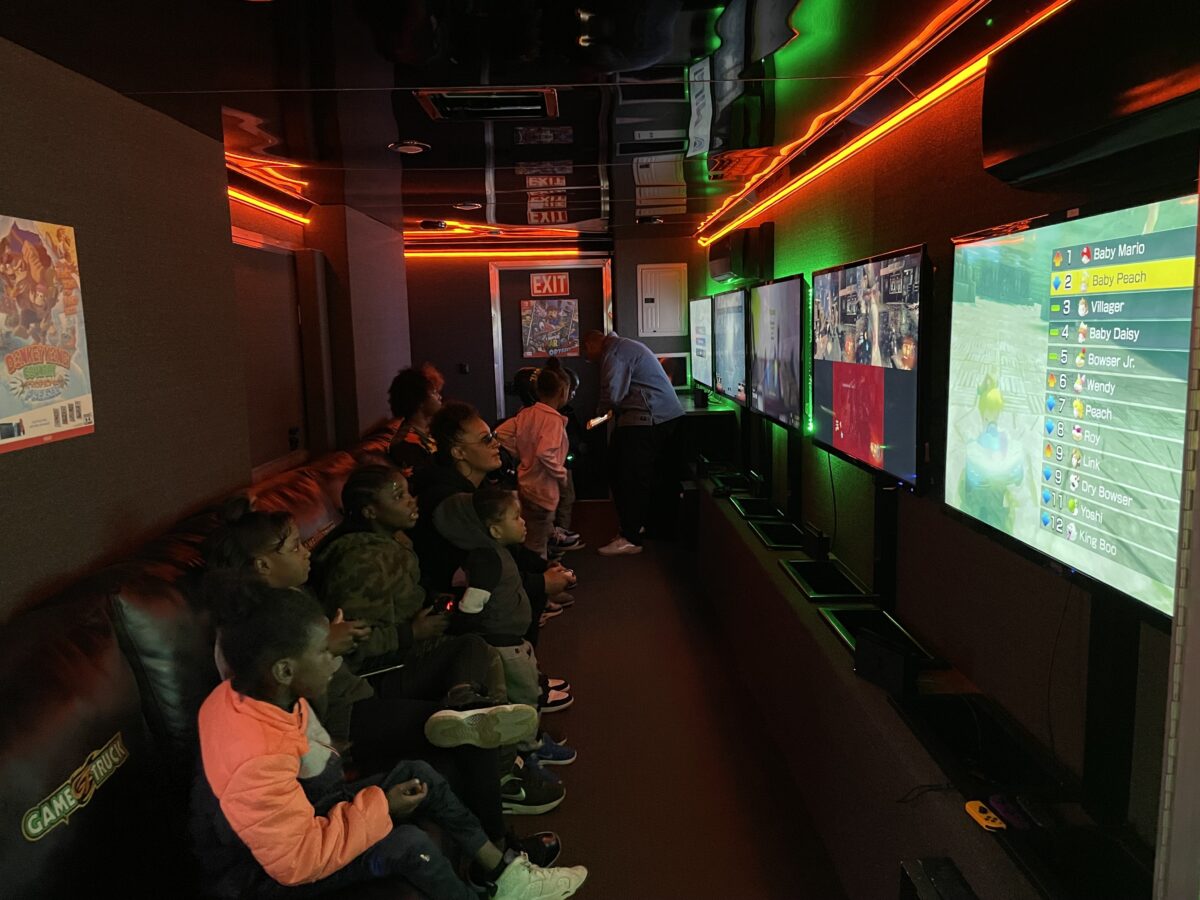
Planning a birthday party or special event for your child can be a whirlwind of choices and preparations. One way to guarantee smiles all around is by bringing the excitement of video games right to your doorstep with a mobile gaming truck. Let’s dive into the fun world of gaming trucks and find out how you can book one in your area.
What Are Mobile Gaming Trucks?
Imagine a party where kids (and adults!) are transported into another world without ever leaving your driveway. That’s what mobile gaming trucks offer! These state-of-the-art gaming vans are packed with the latest consoles, games, and high-definition screens. With comfortable seating and vibrant lights, they create an immersive gaming experience that’s hard to beat.

Why Choose a Mobile Gaming Truck?
There are countless reasons to consider a gaming truck for your next event:
- Convenience: The gaming truck comes to you, saving you the hassle of coordinating travel or venue arrangements.
- All-Weather Fun: Rain or shine, the party goes on inside the cozy confines of the gaming van.
- Stress-Free Setup: Forget about setting up equipment or dealing with tech issues. The gaming truck team takes care of everything.
- Excitement and Engagement: Kids and adults alike will be engrossed, allowing you to relax and enjoy the celebration.
How to Find Mobile Gaming Trucks Near You
Searching for the perfect gaming truck or gaming van rental is easier than you might think. Here are some tips to help you find the best options in your area:
- Online Search: Start at gametruck.com by entering your zip code. You’ll be able to learn more about the services and availability of the mobile gaming truck in your area. You can also try searching “mobile gaming trucks near me” in your favorite search engine.
- Reviews and Recommendations: Check out online reviews and ask fellow parents for recommendations. Personal experiences can provide valuable insights into what you can expect.
- Social Media: Platforms like Facebook and Instagram are great for discovering local businesses. You can find photos, customer feedback, and even special promotions.
Booking Your Gaming Truck Experience
Once you’ve found a few options, reach out to the companies to inquire about availability and pricing. Be sure to ask about the games available, the duration of the video truck rental, and any special packages they might offer. Some companies even provide themed invitations or VIP gifts to make the event even more memorable.
Make It a Day to Remember
A mobile gaming truck can transform an ordinary day into an extraordinary celebration. With the ease and excitement they bring, you’ll be the hero of the day, and your child will have a party they’ll never forget.
Ready to level up your party planning? Start your search for a mobile gaming truck today and let the games begin!
Pikmin 4: A Parent’s Guide to Nintendo’s Adorable Adventure

What do tiny plant-like creatures, teamwork, and adventure have in common? They’re all part of the enchanting world of Pikmin! Nintendo’s Pikmin series is a delightful mix of exploration, problem-solving, and strategic gameplay that has captured the hearts of players young and old. For parents with kids aged 6-13, Pikmin offers a unique blend of fun and learning that’s hard to beat. In this guide, we’ll dive into what makes Pikmin 4 so special, why it’s a fantastic choice for kids, and how you can get your family started on this adorable adventure.
What is Pikmin?
Let’s start with the basics: what exactly is Pikmin? At its core, Pikmin is a game where players guide small, plant-like creatures called Pikmin on a mission to explore mysterious worlds, collect treasures, and solve puzzles. Each Pikmin type has unique abilities, making teamwork a crucial part of success. The series debuted in 2001 and has grown to include several sequels, including the popular Pikmin 3 Deluxe and the recent Pikmin 4. There’s even a mobile game, Pikmin Bloom, that lets players interact with Pikmin in real life. With vibrant visuals, quirky humor, and engaging challenges, Pikmin brings a sense of wonder to every adventure. It’s a perfect introduction to the series for kids and parents alike.
Why Pikmin 4 is Perfect for Kids
So, why is Pikmin such a great game for kids? First, it’s entirely family-friendly, with no violence or inappropriate themes. Parents can feel confident letting their children play. Beyond being safe, Pikmin helps kids develop important skills. Its puzzles encourage strategic thinking and creative problem-solving. Players learn teamwork and resource management as they guide their Pikmin army to complete tasks. The game’s time limits also teach valuable lessons about planning and time management. Best of all, its easy-to-learn controls make it accessible for younger players, while older kids still enjoy the challenge of mastering its strategy elements. Pikmin isn’t just a game—it’s a learning experience wrapped in fun.
Meet the Colorful Cast of Pikmin 4
One of the most exciting parts of the game is meeting the different Pikmin types, each with their own abilities. Red Pikmin are fireproof and great in battles, while Blue Pikmin can swim and thrive underwater. Yellow Pikmin jump high and resist electricity, making them perfect for tackling unique challenges. The game also features other Pikmin types, like the strong Purple Pikmin, the speedy White Pikmin, and even Ice and Glow Pikmin, who bring new abilities to the mix. These diverse characters show kids the value of working together and celebrating differences. By using each Pikmin’s strengths, players learn that every role matters.
How to Get Your Kids Started with Pikmin
Ready to introduce your family to Pikmin? There are several ways to get started. For console gaming, Pikmin 3 Deluxe and Pikmin 4 on the Nintendo Switch offer hours of exciting gameplay. If your kids enjoy being active, Pikmin Bloom provides a fun way to engage with Pikmin through outdoor walking and exploring. To make the experience even more special, consider playing alongside your kids. Joining in allows you to bond while teaching teamwork and problem-solving. Setting time limits ensures healthy gaming habits, and discussing in-game strategies can spark conversations about real-world challenges. Pikmin isn’t just a game—it’s an opportunity for family fun and growth.
Conclusion
Pikmin is more than just a charming game—it’s a family-friendly adventure that combines fun and learning. Its colorful characters, strategic gameplay, and life lessons make it an ideal choice for kids aged 6-13. Whether you’re navigating challenges together or cheering them on, Pikmin is a wonderful way to create lasting memories with your family. So why not start exploring today? Who knew such tiny creatures could bring such big fun to your home?

Level up your celebration with gamer birthday party ideas inspired by Minecraft, Mario Kart, Fortnite & more! Fun themes, activities, and snacks for kids!