

Pokémon Day Activities for Kids: Easy Ways to Celebrate
Pokémon Day gives you a fun reason to connect with your child through play. This special day lands on February 27 and celebrates the launch of the original games Pokémon Red and Blue. Kids across the world love Pokémon because it mixes adventure, strategy, and imagination. When you join their excitement, you build trust and shared joy. Now let’s explore why this day matters so much to families.
What Is Pokémon Day?
Pokémon Day honors the start of the Pokémon world. The franchise grows from one video game into a global brand that includes the Pokémon, trading cards, toys, books, and movies. Many kids know characters like Pikachu before they learn to read. This shared interest makes it easy for you to step into their world. That makes this celebration a perfect family moment.
Why Kids and Parents Love Pokémon
Pokémon offers more than entertainment. It helps kids build real skills while they play.
Kids practice:
- Reading skills from cards and dialogue
- Math skills from damage points
- Strategy from battles
- Sportsmanship from wins and losses
You get fun and learning at the same time. That balance makes Pokémon a powerful family activity.
This leads us to the best part—celebrating together.
7 Fun Ways to Celebrate Pokémon Day at Home

Host a Mini Card Tournament
If your child collects cards, run a short tournament at home. Set a timer for each match and keep the mood friendly. Offer tiny prizes like stickers or a “champion” certificate. For ages 5–7, you can simplify rules and focus on turns and fun. Next, you can add one more easy activity.
Create a Pokémon Craft Station
Set out coloring sheets, markers, stickers, and blank paper. Ask your child to design a new Pokémon and name its type.
Try this prompt: “What powers does your Pokémon have?” Next, you can bring in a cozy option.

Plan a Pokémon Movie Night
Let your child pick an episode or movie. Add popcorn and a “Poké Ball” snack bowl (red-and-white cups work great). Keep it simple so it feels relaxing, not stressful. Next, you can add movement for high-energy kids.
Go on a Real-World Pokémon Hunt
Use Pokémon GO for a family walk and a mini scavenger hunt.
Kids move, explore, and celebrate at the same time. You also get fresh air and easy conversation. Next, you can add food fun.
Make Pokémon-Themed Snacks
Try Poké Ball cupcakes, Pikachu fruit plates, or “energy” fruit cups. Let your child help stir, sprinkle, and decorate. Cooking together builds teamwork and pride fast. Next, you can sneak in learning.
Build a Pokémon Learning Day (Yes, Really)
Turn this into easy learning without making it feel like homework. Sort cards by type. Add up HP totals. Write a short story about a new Pokémon. Draw a map of a Pokémon region. Kids stay engaged because the theme feels fun. Next, you can let your child lead.
Let Your Child Teach You
Ask your child to explain their favorite Pokémon and show how battles work. Ask follow-up questions and let them lead the moment. Kids feel proud when you listen and learn.

Pokémon for Beginners: Parent Guide
If it feels confusing, you still can join in with a few simple terms. These basics help you follow your child’s excitement and ask better questions. You do not need expert knowledge to connect.
What is a Pokémon type?
A type describes what a Pokémon “is,” like Fire, Water, Grass, or Electric. Some types have advantages over others, and kids love to talk about matchups. When you understand types, you can follow battles more easily. Next, you can learn evolutions.
What are evolutions?
Evolution means a Pokémon changes into a stronger form. Kids see growth in a clear, fun way.
You can ask, “What changes when it evolves?” Next, you can learn HP.
What is HP?
HP means Hit Points (health). HP shows how much energy a Pokémon has left in a battle. Kids subtract damage, so they practice math while they play. That makes battles feel exciting and smart.
Conclusion
Pokémon Day does not need to feel big or expensive. Your child does not need a perfect setup. Your child needs you to show interest in something they love. Even thirty minutes of shared play creates lasting memories. Simple moments often mean the most to kids. And that truth makes this day worth celebrating.

Discover Mario Kart World for families! Learn new features, tips, and modes to see if this Nintendo Switch 2 game is right for your kids.
Is GameTruck worth it compared to other party options

Another birthday is just around the corner, and the party planning stress is already setting in. You could host at home and face the inevitable cleanup, or book a venue and juggle a dozen kids in a public space. But what if there was a third option that brought the party to you, without a single guest stepping inside your house? Enter the GameTruck.

Think of it like a private movie theater on wheels, but for video games. These mobile gaming parties happen inside a large, climate-controlled trailer that has been transformed into a high-tech arcade. Inside, you won’t find just one screen, but a whole wall of them, each connected to popular consoles like Xbox, PlayStation, and Nintendo Switch. It’s a completely self-contained environment that pulls right up to your curb.
This multi-station setup is the secret sauce. Instead of kids fighting over one TV, a GameTruck can typically host 16 to 20 players at once, all supervised by a trained staff member who runs the event. This solves the biggest headache of most video game parties. But is the convenience worth the cost compared to other options? Let’s break it down.
How a GameTruck Party Works: The 3-Step Process to a Stress-Free Day
So, how does the magic actually happen on party day? It’s simpler than you might think. The GameTruck pulls up right to your curb on schedule, completely self-powered and ready to go. You don’t need to worry about special hookups or clearing space inside your home. Once the door opens, the kids are ushered into a climate-controlled gaming paradise, and the party begins—entirely outside of your house.
This is where the most valuable feature comes in: the Game Coach. You aren’t left to manage the technology or the kids. Every party is run by a trained staff member who is part host, part tech support, and part referee. They help kids find age-appropriate games, make sure everyone gets a turn, and handle any questions. For you, this means you can actually relax, take pictures, or chat with other parents instead of playing crowd control.
When the party time is up, the experience is just as seamless. The kids exit the truck, and the Game Coach simply closes the doors and drives away. There is no equipment to pack up, no living room to de-clutter, and absolutely no post-party cleanup. Your home remains exactly as it was, and your only job was to watch your child have an unforgettable day.
The Big Question: How Much Does a GameTruck Party Cost?
After hearing about the convenience, the first question on every parent’s mind is simple: what’s the price tag? While GameTruck pricing and packages are set by local owners, you can typically expect a two-hour party to fall in the $375 to $550 range. The key thing to understand is that this is usually a flat fee for the entire event, not a per-person charge. This model can be incredibly cost-effective for larger groups, where the per-head costs of a bowling alley or laser tag arena would quickly add up.
Of course, the final price isn’t one-size-fits-all. Several factors can influence the total cost, which gives you some control over the budget. The most common variables include:
- Party Duration: A 90-minute party will naturally cost less than a two-hour or three-hour block.
- Day of the Week: Weekend dates, especially Saturday afternoons, are in high demand and are typically priced higher than weekday parties.
- Travel Distance: Some locations may add a small travel surcharge if you live far outside their standard service area.
That flat fee covers more than just access to a cool truck. It pays for a complete, managed experience—the Game Coach who runs the show, the huge library of games, the climate-controlled environment, and the priceless benefit of zero post-party cleanup. But how does this all-inclusive cost compare when you put it head-to-head with other classic party options?
GameTruck vs. Other Parties: A Head-to-Head Value Comparison
That $450 price tag might seem steep at first glance, especially when you can rent a bounce house for less or host a party at home for the cost of pizza and cake. But a true value comparison isn’t just about dollars—it’s about what you get for that money in terms of your own time, effort, and sanity. When you look at it that way, the math starts to change.
Here’s how GameTruck compares against two classic birthday bash formats: a party at a venue like a bowling alley or laser tag arena, and the traditional at-home party.
Looking at the options side-by-side reveals the real trade-off. You’re investing in a party where your main job is simply to enjoy it.
- GameTruck Party
- Parent Effort: Low. The Game Coach runs the entire event.
- Weather-Proof: Yes. The party is on, rain or shine.
- Clean-Up: None. The truck drives away, and so does the mess.
- ‘Wow’ Factor: High. It’s unique and instantly exciting for the kids.
- Venue Party (e.g., Laser Tag)
- Parent Effort: Medium. You still have to wrangle kids in a public space and manage transport.
- Weather-Proof: Yes.
- Clean-Up: None.
- ‘Wow’ Factor: Medium. Fun, but a more common experience.
- At-Home Party
- Parent Effort: High. You are the planner, decorator, entertainer, and janitor.
- Weather-Proof: No (if any part is outdoors).
- Clean-Up: Major. Your house is the party zone.
- ‘Wow’ Factor: Varies. It’s entirely dependent on your budget and effort.
The GameTruck model exchanges a higher upfront cost for a near-total reduction in parent stress and labor. A huge part of what makes that possible is the staff member who arrives with the truck. This person might just be the most valuable part of the whole package.
The ‘Hidden’ Value: Why the Game Coach is Your Party MVP
That Game Coach isn’t just a chaperone; they are a trained party host. Their entire job is to keep the energy high and the event running smoothly, from setting up games to showing a hesitant child how to use a controller. You aren’t stuck troubleshooting a frozen screen or trying to figure out which cord goes where. The technical side of the party is completely handled.
Contrast this with an at-home game party, where you become the referee for squabbles over controllers and the tech support for frustrated kids. The Game Coach takes on that entire role. They navigate group dynamics and ensure everyone gets a fair turn, turning potential meltdowns into shared fun. It’s the difference between hosting a party and actually getting to enjoy it.
This is the core of the GameTruck promise. You’re not just renting a trailer full of screens; you’re buying two hours of guaranteed, expert-led entertainment so you can relax. The Coach ensures the fun is constant, but they also manage another crucial detail: the games themselves.
Are the Games Age-Appropriate? How GameTruck Manages the Fun
One of the biggest worries for any video game party is making sure the content is right for your child and their friends. With GameTruck, you are in the driver’s seat. Before the party even starts, you get to approve the entire library of games that will be available. The GameTruck has a huge selection of titles, but nothing gets played without your explicit permission, putting you in complete control.
To help you decide, games use a rating system much like movies do. You’ve probably seen the little letters on game boxes: “E” for Everyone, “T” for Teen (which might have mild cartoon violence), and “M” for Mature (for older teens and adults). Your Game Coach is an expert on this library and can help you understand what each game is like, ensuring you can confidently pick a fun and appropriate lineup for all the guests.
Once you’ve set the ground rules, the Game Coach takes over. They’ll only suggest and load the games from your approved list, so you don’t have to worry about a guest trying to access something off-limits. This system gives parents total peace of mind, knowing the fun is contained and appropriate.
The Practical Details: Space, Power, and Other Common Questions
Beyond the games, the truck itself brings up a few practical questions. Fortunately, the logistics are designed to be surprisingly simple and hands-off for you. Most of the common worries are already solved by the service.
Here are the answers to the most frequent questions parents have about the setup:
- How much space do I need? You’ll want about length of 60 ft, 5-6 car lengths. The Game Coach is an expert at maneuvering the trailer, so you won’t have to worry about the parking job itself.
- Does it need to plug into my house? No. The truck is completely self-powered with its own quiet generator. This means no extension cords running across your lawn and no risk of tripping a circuit breaker in your home.
- What about bad weather? The party goes on. Unlike a bouncy castle or a park gathering, a GameTruck is fully climate-controlled with air conditioning and heating, making it a perfect, weatherproof solution for any season.
This self-sufficiency is a core part of the appeal. You are not just booking an activity; you are booking a self-contained environment that eliminates the most common party-planning headaches.
The Final Verdict: Who Is a GameTruck Party Perfect For?
After weighing the convenience, expert supervision, and zero-cleanup benefits against the cost, the value of a GameTruck party becomes clear. It’s a premium experience, but for many families, the trade-off is well worth it.
A GameTruck is likely worth it for you if:
- You prioritize convenience and low stress over the lowest possible cost.
- Your child and their friends are passionate about video games.
- You’re looking for unique party ideas for 10 – 16 year olds that deliver a huge “wow” factor.
- You absolutely dread the idea of party setup and, most of all, the cleanup.
Ultimately, the goal isn’t just to throw a party; it’s to create a happy memory without creating chaos for yourself. Weighing these options helps you choose the path that guarantees a fantastic celebration for your child and a stress-free day for you.
Indoor Activity Videos for Kids: Top 6
Parents often search for safe ways to help kids stay active indoors. YouTube channels that get kids moving give you an easy solution. These indoor activity videos for kids turn screen time into dance time, jump time, and play time. Kids build strength, focus, and confidence while they follow fun movement games. This guide shows you the best YouTube channels for kids who love to move.
Nintendo Official Channel — Active Gaming Fun
Recommended ages: 6–12
Watch: https://www.youtube.com/@Nintendo
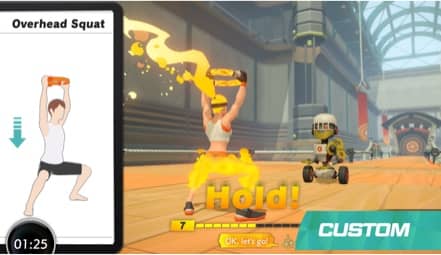
Nintendo shares clips from active video games that inspire kids to move. Kids copy jumps, squats, and stretches they see on screen. Familiar characters make each video feel like a mission. Bright visuals hold attention longer. This channel turns gaming excitement into real movement.
Danny Go — High-Energy Movement Songs
Recommended ages: 3–8
Watch: https://www.youtube.com/@DannyGo
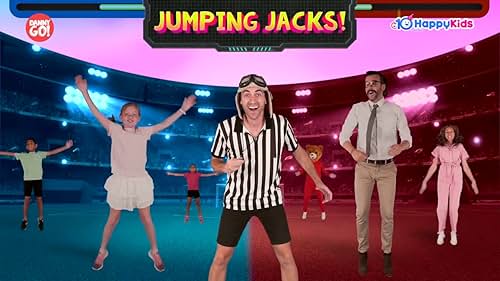
Danny Go leads action songs that tell kids when to jump, spin, and run. He talks directly to viewers so they feel included. Fast pacing keeps excitement high. Challenge games test listening skills and coordination. This makes exercise feel like play.
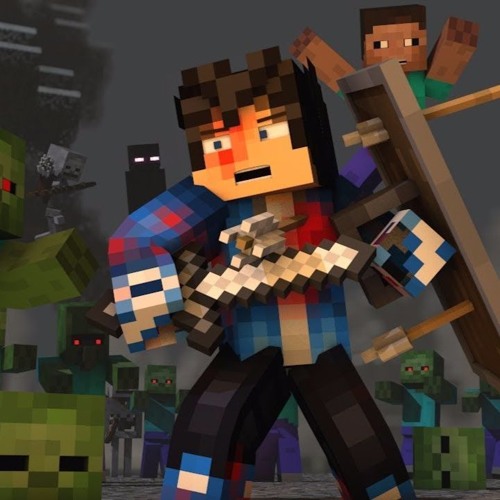
Minecraft Channel — Movement for Creative Kids
Recommended ages: 6–12
Watch: https://www.youtube.com/@Minecraft
Minecraft videos feature music clips and animations that inspire movement. Kids act out character motions or march to the beat. Familiar sounds grab attention fast. Simple rhythms help kids stay on pace. This channel blends imagination with activity.

The Kiboomers — Simple Action Songs
Recommended ages: 3–7
Watch: https://www.youtube.com/@TheKiboomers
The Kiboomers create songs that guide kids through easy motions. Lyrics tell kids exactly what to do. Bright animation keeps young viewers focused. Short videos fit quick movement breaks. This keeps little kids active and smiling.

Pokémon Kids TV — Dance with Favorite Characters
Recommended ages: 3–8
Watch: https://www.youtube.com/@PokemonKidsTV
Pokémon Kids TV shows dance songs with characters kids love. Pikachu and friends model moves kids copy right away. Repetition helps kids learn fast. Cheerful music boosts energy. This channel mixes imagination with motion.

Cosmic Kids Yoga — Calm Active Movement
Recommended ages: 4–10
Watch: https://www.youtube.com/@CosmicKidsYoga
Cosmic Kids Yoga guides kids through stretches during story adventures. The host explains each pose step by step. Kids build balance and focus while they play along. Gentle pacing keeps them relaxed and engaged. This offers a peaceful movement option.
Tips for Parents: Make Movement Videos Work Better
Boost Engagement
- Dance with your child
- Let them pick the video
- Celebrate effort, not skill
Kids stay motivated when they feel supported. Choice gives them ownership. Praise builds confidence. Shared fun strengthens connection. This keeps them excited to move.
Keep It Healthy
- Choose videos under 15 minutes
- Give water breaks
- Rotate active and calm content
Short sessions prevent burnout. Hydration supports energy and focus. Variety keeps interest high. Balance protects attention span. This creates a healthy screen routine.
Why Movement Videos Help Kids
Active play supports brain growth, mood, and coordination. Movement releases energy in positive ways. Dance and exercise improve memory and confidence. Kids who move often show stronger focus. This explains why active videos work so well.
FAQs About YouTube Movement Videos for Kids
What are the best YouTube channels for active kids?
Danny Go, Nintendo, and Cosmic Kids Yoga rank among the top choices for movement and fun.
Are movement videos good for indoor days?
Yes. They provide safe activity when outdoor play does not work.
Conclusion
Active videos help kids burn energy, boost mood, and stay healthy. When you choose the right channels, your child sees exercise as fun instead of work. Short dance breaks, game-style challenges, and movement songs keep kids excited to stay active. Try a few channels, notice what your child enjoys most, and build movement into your daily routine. The more fun movement feels, the more kids want to keep doing it.

Looking for the best board games for 4 to 6 year olds? Discover fun, educational picks that build skills, keep kids engaged, and make family game night easy.